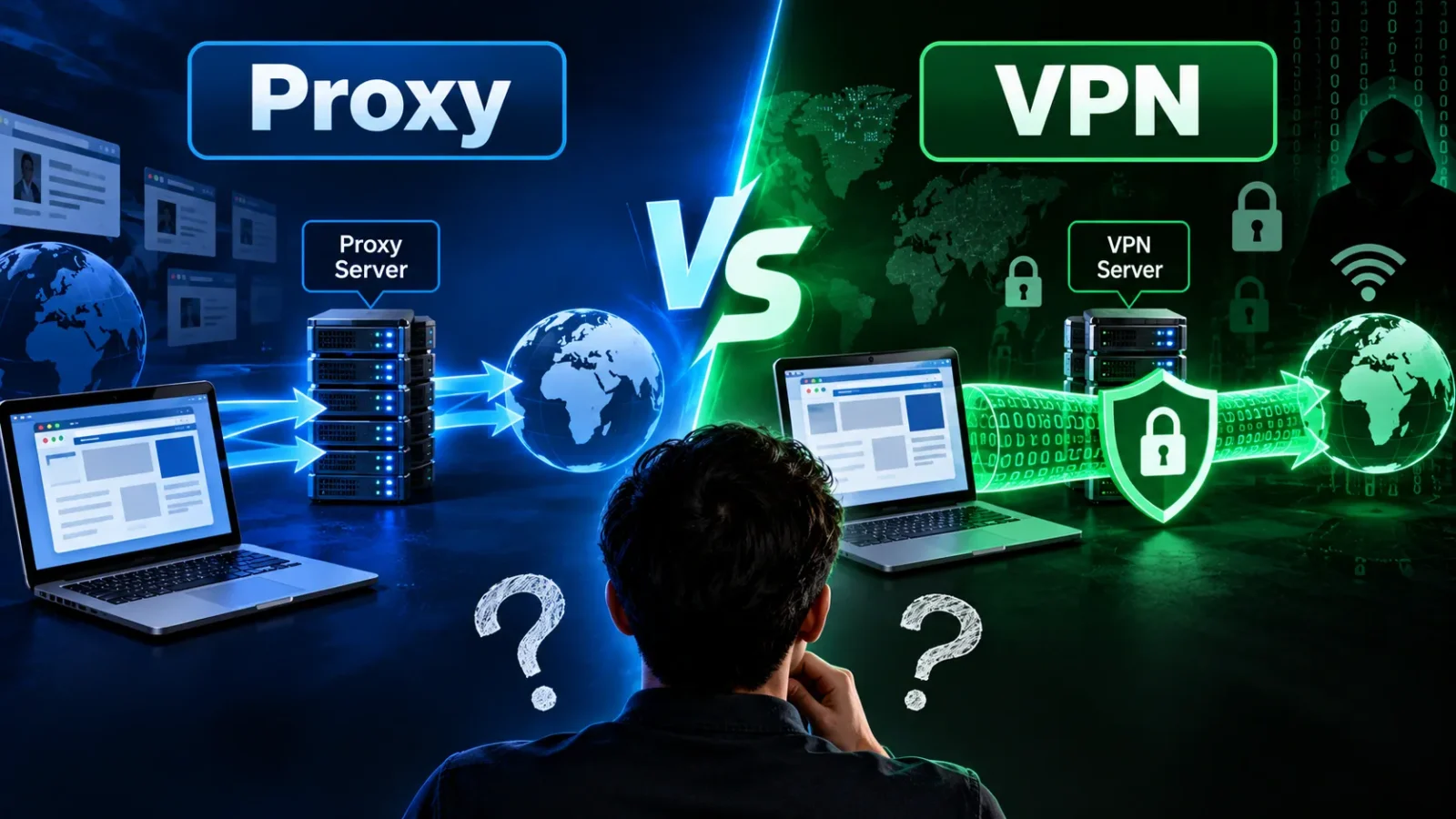
You’ve probably seen both words used almost interchangeably, “hide your IP with a proxy or VPN,” like they’re two names for the same thing. They’re not, and mixing them up is how people end up thinking they’re protected when they’re really not.
A proxy reroutes traffic from one app at a time and doesn’t encrypt anything, while a VPN encrypts and reroutes every bit of traffic leaving your device. That single difference- encryption, and how much of your traffic it actually covers- is what decides which one you should be using, and for what.
Below, we’ll go through exactly what separates a proxy server vs. a VPN, where each one genuinely wins, and cover the specific situations people search for most: torrenting, Android setup, residential proxies, and how to switch either one off when you’re done with it.
What Is A Proxy Vs VPN?
A proxy server sits between your device and the internet for a single app or browser. When you tell your browser to use a proxy, your browser’s traffic goes through that middleman server first, which swaps out your IP address for its own before the request reaches the website. Nothing else on your device- your email app, your games, your other browser tabs- goes through it. Only the one thing you pointed at the proxy.
A VPN works at a completely different level. Instead of configuring one app, a VPN app sits at your device’s operating system level. It wraps every single connection leaving your device- browser, email, background apps, everything- inside an encrypted tunnel, then sends it out through the VPN provider’s server. So what is a vpn vs. proxy, really, in one sentence: a proxy reroutes one app’s traffic without encrypting it, and a VPN encrypts and reroutes all of your device’s traffic at once.
Difference Between Proxy and VPN
Here’s the full difference between a proxy and vpn laid out side by side, since a table makes this easier to scan than paragraphs.
| Proxy | VPN | |
|---|---|---|
| Encryption | None | Full encryption (usually AES-256) |
| What it covers | One app or browser | Your entire device |
| Speed | Usually faster (no encryption overhead) | Slightly slower (encryption takes processing power) |
| Hides your IP | Yes, from that one app | Yes, from everything on your device |
| Protects data on public Wi-Fi | No | Yes |
| Works with your ISP watching | ISP still sees your real traffic | ISP only sees encrypted, unreadable traffic |
| Typical use case | Bypassing a geo-block for one site, web scraping, ad verification | Everyday privacy, public Wi-Fi, torrenting, hiding your activity from your ISP |
| Cost | Often free or cheap | Usually a paid subscription for a reliable, no-logs option |
Is a Proxy The Same As A VPN?
No, and this is worth answering directly because so many people assume otherwise. Does a proxy function the same as a VPN? Not even close; the encryption gap alone puts them in different categories. In a very loose sense, a VPN does route your traffic through another server the way a proxy does, so you’ll sometimes see VPNs described using proxy-like language.
But a VPN adds encryption, device-wide coverage, and (with a reputable provider) a no-logs policy on top of that basic rerouting. Three things a plain proxy doesn’t offer.
If your goal is to appear as if you’re browsing from a different country for one website, a proxy can do that. If your goal is actually keeping your activity private from your internet provider, from whoever’s watching the Wi-Fi network you’re on, or from anyone trying to intercept your data, a proxy alone won’t do that job. Only encryption does, and that’s what a VPN adds.
Proxy vs VPN: Which Is Better?
Honestly, “better” depends entirely on what you’re trying to do, so let’s be specific instead of picking a winner that doesn’t fit your actual situation.
A proxy is the better tool when:
- You need to check how a website looks from a different country, quickly, for one browser tab.
- You’re doing web scraping, price monitoring, or ad verification at scale, where speed and IP variety matter more than encryption.
- You want something free or cheap for a single, low-stakes task.
A VPN is the better tool when:
- You’re on public Wi-Fi at a coffee shop, airport, or hotel.
- You care about your ISP not seeing which sites you visit.
- You want every app on your device protected, not just your browser.
- You’re handling anything sensitive: banking, work logins, personal messages.
So proxy vs VPN really comes down to this: a proxy is a narrow tool for a narrow job, and a VPN is a broad tool for ongoing, everyday protection. In practice, most people asking this question actually need a VPN. They didn’t know the proxy option even existed as an alternative.
Proxy vs VPN For Torrenting
When you torrent, your IP address is visible to every other peer you’re connected to in the swarm; that’s how the BitTorrent protocol works. A SOCKS5 proxy can mask that IP address from other peers, and because it doesn’t encrypt anything, it’s often faster than a VPN, which appeals to people chasing download speed.
Proxy vs vpn for torrenting isn’t really a fair fight, because a proxy only reroutes the traffic your torrent client sends through it. It does nothing to encrypt that traffic, and it typically doesn’t protect against DHT (Distributed Hash Table) or PEX (Peer Exchange) leaks, both of which can expose your real IP address even while a proxy is technically running, unless your torrent client is configured carefully to disable them.
A VPN, by encrypting everything at the device level and routing your torrent client’s traffic through the same protected tunnel as everything else, closes that gap far more reliably.
If you torrent regularly, a VPN with a kill switch, a feature that cuts your internet entirely if the VPN connection drops, rather than silently falling back to your unprotected connection, is the safer standing choice. Save the proxy-only approach for situations where speed matters more than airtight privacy, and you’re not worried about occasional leak risk.
Residential Proxy vs VPN
A residential proxy routes your traffic through an IP address assigned by an actual internet service provider to a real home, rather than through a data center. That makes the traffic look like it’s coming from an ordinary household, which is exactly why residential proxies are used heavily in web scraping, price monitoring, and ad verification. Websites are far less likely to flag or block traffic that looks like a normal home user than traffic clearly coming from a data center’s IP range.
A VPN, by contrast, almost always routes you through the provider’s own server infrastructure. You know exactly who runs the server, and reputable providers publish audited no-logs policies you can actually verify.
Residential proxy networks are murkier: some are built from IoT devices or apps that pay users (sometimes without those users fully understanding it) to share their home connection’s bandwidth, which raises real questions about whose device your traffic is actually passing through.
For everyday personal privacy, a VPN from a known, audited provider is the safer, more transparent choice. Residential proxies exist for a different job entirely, blending in at scale for business and data-collection use cases, not for keeping an individual’s daily browsing private.
Proxy vs VPN vs Firewall
It’s worth clearing this one up too, because these three terms get lumped together constantly, and none of the competing articles on this topic actually separate all three clearly.
A firewall doesn’t hide your identity or encrypt anything. It’s a filter that decides which traffic is allowed in or out of your network based on a set of rules, blocking suspicious or unauthorized connections. Think of it as a security guard checking IDs at the door, not a disguise.
A proxy changes what IP address a website sees for one app’s traffic, without encrypting it.
A VPN encrypts and reroutes all of your device’s traffic through a secure tunnel.
Proxy vs vpn vs firewall isn’t really a competition, because they solve three completely different problems and are frequently used together: a firewall protects a network from unwanted incoming connections, a proxy can control or mask outgoing traffic for a specific app, and a VPN protects the privacy and integrity of everything leaving your device. A well-secured setup, especially in a business, often uses all three at once, with each doing a job the others don’t.
Proxy Server vs VPN on Android
Setting these up on a phone works differently than on a computer, and this trips people up more than any other platform.
Proxy on Android
Android lets you set a proxy per Wi-Fi network, not device-wide. Go to Settings > Wi-Fi, long-press your connected network, tap Modify network, expand Advanced options, and set Proxy to Manual, then enter the proxy’s hostname and port. The catch: this only applies to that one Wi-Fi network, and depending on the app, it may not route mobile data traffic at all, so any app-level proxy setting is genuinely inconsistent across different apps on Android.
VPN on Android
A VPN app protects the entire device, across Wi-Fi and mobile data alike, the moment it’s turned on. Most VPN apps also let you enable Always-on VPN and Block connections without VPN under Settings > Network & internet > VPN, which stops any app from leaking data if the VPN connection ever drops.
A proxy setting on Android is per-network and often per-app, while a VPN protects the whole device the same way every time, on any connection. For a phone that constantly switches between home Wi-Fi, mobile data, and public networks, that consistency matters far more than it does on a desktop that mostly stays on one connection.
Can You Use a Proxy and VPN Together?
Yes, and some people genuinely do, usually for a specific reason, like wanting a proxy’s outbound speed while still riding the VPN’s encrypted tunnel underneath it.
In practice, though, this adds complexity and an extra point of failure for most everyday users, and it rarely changes the outcome enough to be worth the setup hassle unless you have a specific technical reason to chain them.
For most people, picking the right single tool for the job, described in the “which is better” section above, gets you further than combining both.
How To Turn Off Proxy or VPN
Knowing how to turn off a proxy or VPN matters as much as knowing how to set one up, especially if a setting is slowing your connection or blocking a site you need. Here’s how, on every major platform.
Turning off a proxy
Windows 10/11:
- Open Settings > Network & Internet > Proxy
- Under “Manual proxy setup,” turn the toggle off
- If “Automatically detect settings” is on and causing issues, toggle that off too
Mac:
- Open System Settings > Network
- Select your active connection (Wi-Fi or Ethernet) and click Details
- Go to the Proxies tab and uncheck every enabled proxy protocol
- Click OK, then Apply
iPhone:
- Go to Settings > Wi-Fi
- Tap the (i) next to your connected network
- Scroll to Configure Proxy and set it to Off
Android:
- Go to Settings > Wi-Fi
- Long-press your connected network and tap Modify network
- Expand Advanced options, set Proxy to None
Firefox: Settings > General > Network Settings > select No proxy > OK. Chrome/Edge: These use your system’s proxy settings, so turning it off in Windows or Mac (above) turns it off for the browser too.
Turning off a VPN
Windows/Mac: Open your VPN app and tap Disconnect, or toggle it off from the system tray/menu bar icon. If you set up a manual VPN profile instead of an app, go to Settings > Network & Internet > VPN (Windows) or System Settings > VPN (Mac) and disconnect it there.
iPhone: Open your VPN app and toggle it off, or go to Settings > VPN and switch the Status toggle off.
Android: Open your VPN app and disconnect, or go to Settings > Network & internet > VPN, tap your VPN, and disconnect. If you’ve enabled Always-on VPN, turn that off first in the same menu, or the connection may reconnect automatically.
Frequently Asked Questions
Which is better to use, VPN or proxy?
For everyday privacy, public Wi-Fi, and anything sensitive, a VPN is better because it encrypts everything and protects your whole device. A proxy is better for narrow, single-app tasks like checking a geo-blocked page or web scraping, where encryption isn’t the point.
Can a proxy be used as a VPN?
No. A proxy can hide your IP for one app, but it doesn’t encrypt your traffic or protect your whole device the way a VPN does. Even a fast, reliable proxy won’t close the security gap a VPN is specifically built to close.
Does a proxy hide your IP address?
Yes, but only for the traffic you’ve specifically routed through it, usually one browser or one app. Anything else running on your device still shows your real IP address, which is very different from how a VPN behaves.
Is a VPN an IP proxy?
Loosely, a VPN does route your traffic through another server and changes your visible IP, similar to a proxy. But it adds full encryption, covers your entire device, and typically comes with a no-logs policy, features a basic IP proxy doesn’t include, which is why the two aren’t really interchangeable despite the surface-level similarity.
How do I activate a proxy?
On most devices, it’s done through your network settings: find your Wi-Fi or network connection, look for a “Proxy” section, switch it to manual, and enter the proxy’s server address and port number. The exact steps differ slightly by device; the “How to turn off proxy or VPN” section above walks through where that setting lives on Windows, Mac, iPhone, and Android, and turning one on uses the same menu.
The Bottom Line
A proxy and a VPN both reroute your traffic and change what IP address the outside world sees; that’s where the similarity ends. A proxy does that job for one app, with no encryption, which makes it fast and fine for narrow tasks like scraping or a quick geo-block workaround.
A VPN does it for your entire device, wrapped in encryption, which protects you on public Wi-Fi, from your ISP, and from anyone trying to intercept what you’re doing online. If you only remember one thing from this guide, make it this: encryption is the line between the two, and for daily use, that line is usually the difference that matters.